Zero-Click Searches Report

Win back the clicks lost to AI Overviews.

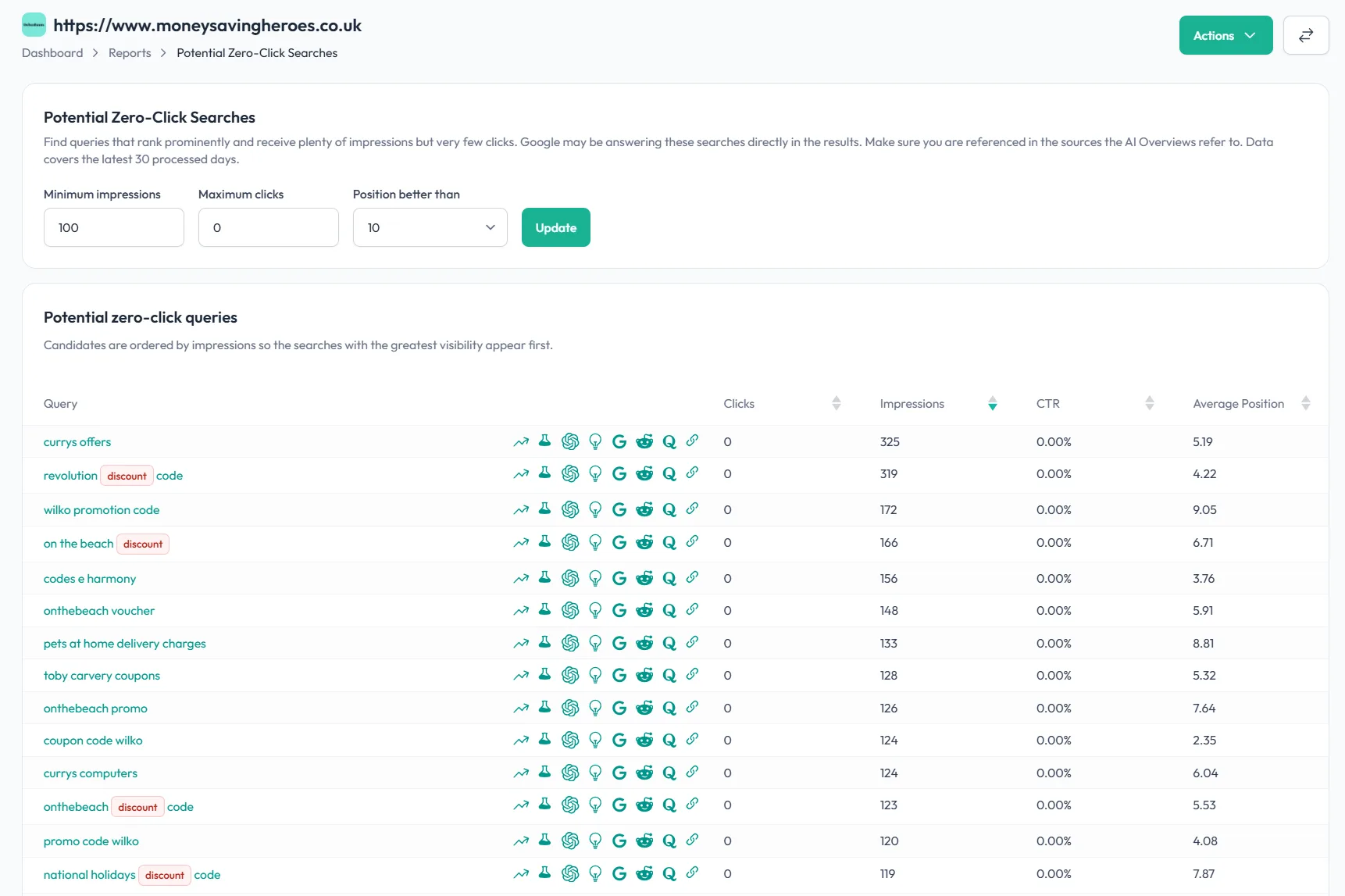
  • Find queries where you rank on page one but hardly get any clicks.
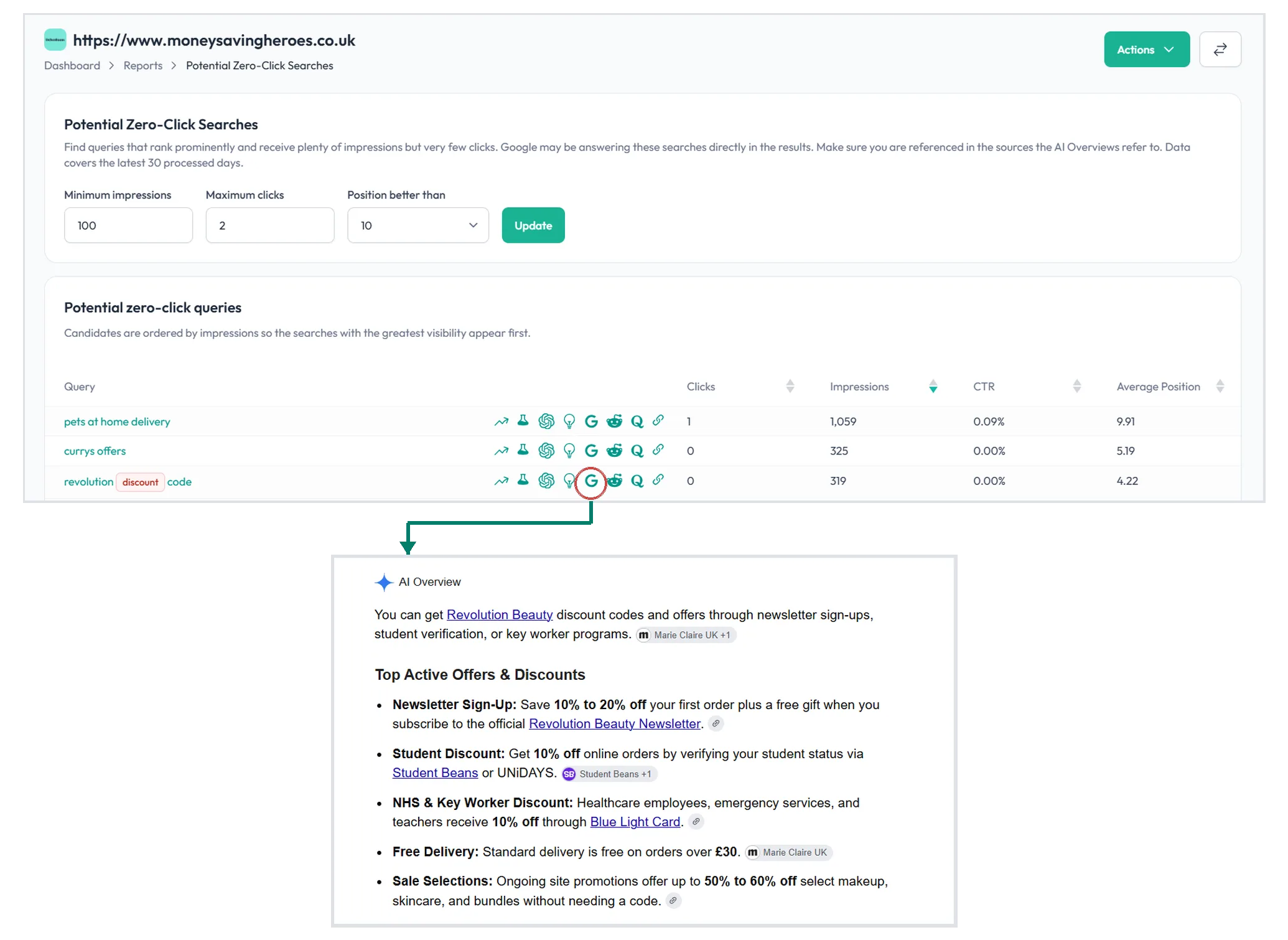
  • Spot where an AI Overview is answering searchers before they reach your page.
  • See whether your page is already cited as a source in the AI Overview.
  • Build a to-do list of sources to target so you get featured.

You're ranking. So where did the clicks go?

A strong ranking used to mean traffic. Not any more.

When an AI Overview sits at the top of the results and answers the question outright, searchers get what they came for without ever clicking through. You keep the impressions, but the clicks disappear.

SEOTesting’s Zero-Click Searches Report finds exactly where this is happening – the queries with real search volume, where your page is showing up, but the clicks aren’t coming – so you can do something about it.

A long list of high-impression, low-click queries at the top of the search results usually points to one thing: an AI Overview is intercepting the click.

You're ranking. So where did the clicks go?
Turn the List into Action

Turn the List into Action

Once you’ve found a query worth investigating, the report gives you a clear to-do list:

  • Check for an AI Overview. Open the search result and see what’s sitting above your organic listing – an AI Overview, a large sponsored block, or both.
  • Check whether you already appear. Look at whether your page is cited as a source in the AI Overview, and whether your impressions are coming from your page or from the Overview itself.

If you’re not featured within the AI Overview, you have two choices:

  • Work on your own page. Optimise your page for AI Overview inclusion.
  • Work through the sources. Review the sources the AI Overview cites and look for opportunities to get included in those pages.

Demonstrate the impact

Making the changes is one thing – knowing they worked is another. Because the Zero-Click Searches Report sits alongside SEOTesting’s testing tools, you don’t have to guess.

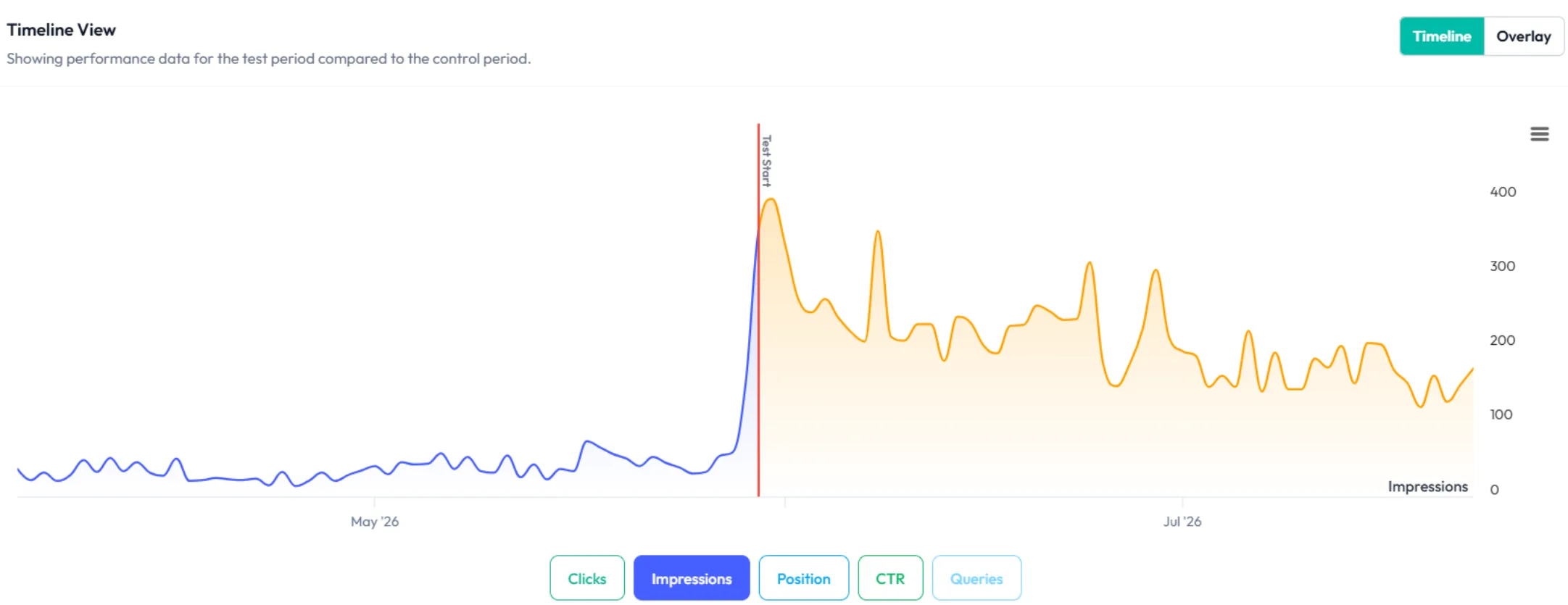
Run an SEO test on the page you’ve changed and watch clicks, impressions and position over time, so you can see whether your work is winning the click back – and show the impact to clients or stakeholders with the data to back it up.

Demonstrate the impact
Super easy to get going

Super easy to get going

Nothing to install on site

No code to add to pages

2 clicks to integrate SEOTesting with Google Search Console

Try free for 14 days

Why SEO experts recommend SEOTesting

Josh Willet

“The automation gained from SEOTesting didn’t just save time – it transformed our approach to SEO entirely. It turned weeks of manual work into hours of actionable insights driving measurable, bottom-line results for our clients.”

Josh Willet, Digital Marketing Consultant

Thomas Chetwyn

“The most significant impact of using SEOTesting has been stakeholder buy-in. We can now use data from tests to demonstrate the impact of SEO changes, enabling us to deliver SEO projects at scale.”

Thomas Chetwyn, BT Group

Jack Chambers-Ward

“Clients are impressed that we are able to quantify and forecast SEO results prior to full-scale implementation. We were immediately able to action recommendations found from the tests with a much greater degree of certainty around results!”

Jack Chambers-Ward, Candour

Ivan Stamenković

“Using SEOTesting, we now have ready-made graphs and statistical data that can be used to tell compelling stories about the work we do. Budget buy-in from management is now easier. Setting up a test takes a couple of minutes and saves hours of reporting later on.”

Ivan Stamenković, Better Collective

Read all our customer case studies, and check out our G2 and Capterra reviews.